
Snapshots
Backup and restore your binding data
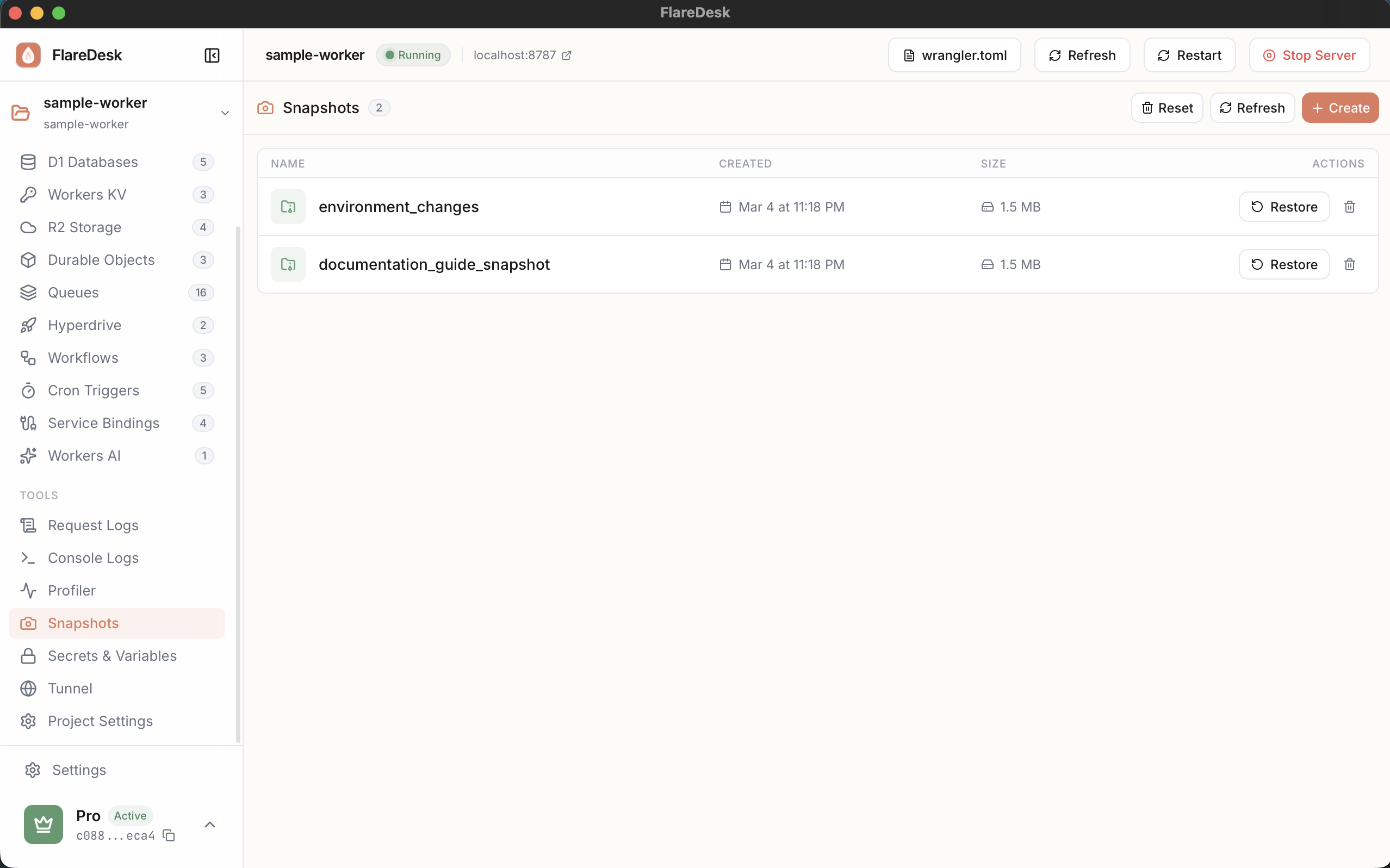
Snapshots let you create backups of your local binding data - D1 databases, KV namespaces, and Durable Objects. Easily restore to a known-good state after testing.
What Can Be Snapshotted
D1 Databases
All tables and data
KV Namespaces
All key-value pairs
Durable Objects
Instance storage data
Creating a Snapshot
- 1
Navigate to Snapshots in the sidebar
- 2
Click "Create Snapshot"
- 3
Select which bindings to include:
- D1 Databases
- KV Namespaces
- Durable Objects
- 4
Enter a name for the snapshot (optional)
- 5
Click "Create"
Restoring a Snapshot
- 1
Select a snapshot from the list
- 2
Click "Restore"
- 3
Choose which bindings to restore
- 4
Confirm the restoration
Managing Snapshots
View Details
Click a snapshot to view its details: creation date, included bindings, and estimated size.
Delete Individual
Click the delete icon next to a snapshot to remove it.
Delete All
Use "Delete All" to remove all snapshots at once.
Common Use Cases
Before Testing
Create a snapshot before running tests that modify data. Restore afterward to reset.
Known-Good State
Save a "golden" snapshot with test data you can always restore to.
Share Development Data
Export snapshots to share development data with team members.
Debug Issues
Capture state when a bug occurs so you can reproduce it later.