
Cron Triggers
View and test scheduled cron triggers
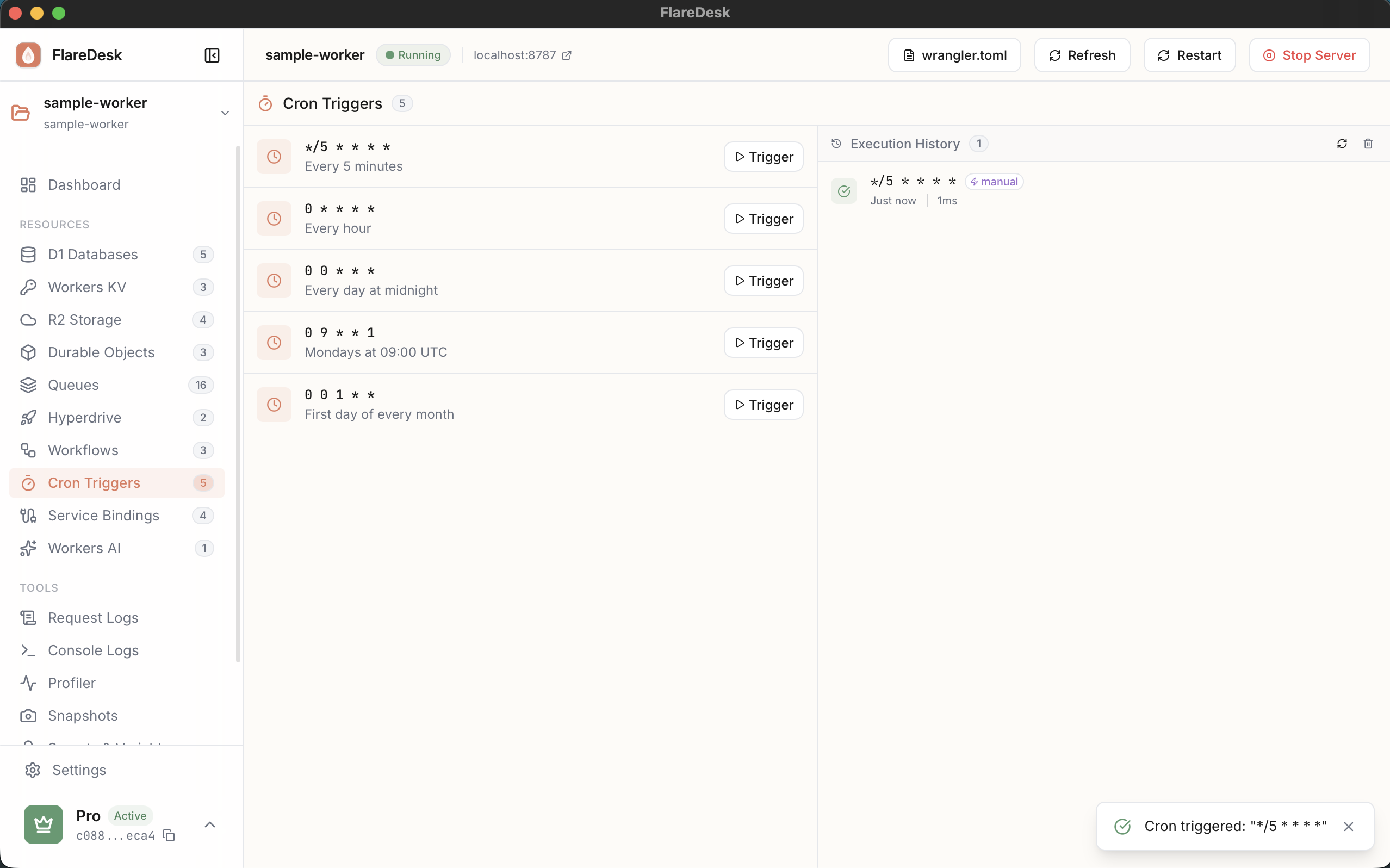
Cron triggers allow your Worker to run on a schedule. FlareDesk lets you view your configured cron triggers and manually trigger them for testing.
Overview
View Crons
See all configured schedules
Manual Trigger
Execute cron handlers immediately
View Logs
Monitor cron execution history
Viewing Cron Triggers
- 1
Navigate to Crons in the sidebar
- 2
View all cron triggers defined in your
wrangler.toml - 3
See the schedule expression for each trigger
Manual Triggering
Test your cron handlers without waiting for the schedule:
- 1
Find the cron trigger you want to test
- 2
Click "Trigger Now"
- 3
The scheduled handler will execute immediately
- 4
View the execution result and logs
Tip: Manual triggering is perfect for testing cron handlers during development without modifying the schedule.
Configuration
Cron triggers are configured in your wrangler.toml:
# wrangler.toml
[triggers]
crons = [
"0 * * * *", # Every hour
"0 0 * * *", # Daily at midnight
"*/5 * * * *", # Every 5 minutes
]
Cron Syntax
Cron expressions follow the standard format:
minute hour day-of-month month day-of-week
| Expression | Description |
|---|---|
| * * * * * | Every minute |
| 0 * * * * | Every hour (at minute 0) |
| 0 0 * * * | Every day at midnight |
| 0 0 * * 0 | Every Sunday at midnight |
| */15 * * * * | Every 15 minutes |
Handler Code
Your Worker needs a scheduled handler:
export default {
async scheduled(event, env, ctx) {
console.log('Cron triggered at:', event.scheduledTime);
console.log('Cron pattern:', event.cron);
// Your scheduled task logic here
await doSomeWork(env);
}
}