
Workers KV
Manage key-value pairs in your namespaces
KV (Key-Value) namespaces provide fast, globally distributed key-value storage. FlareDesk makes it easy to view, edit, and manage your KV data during development.
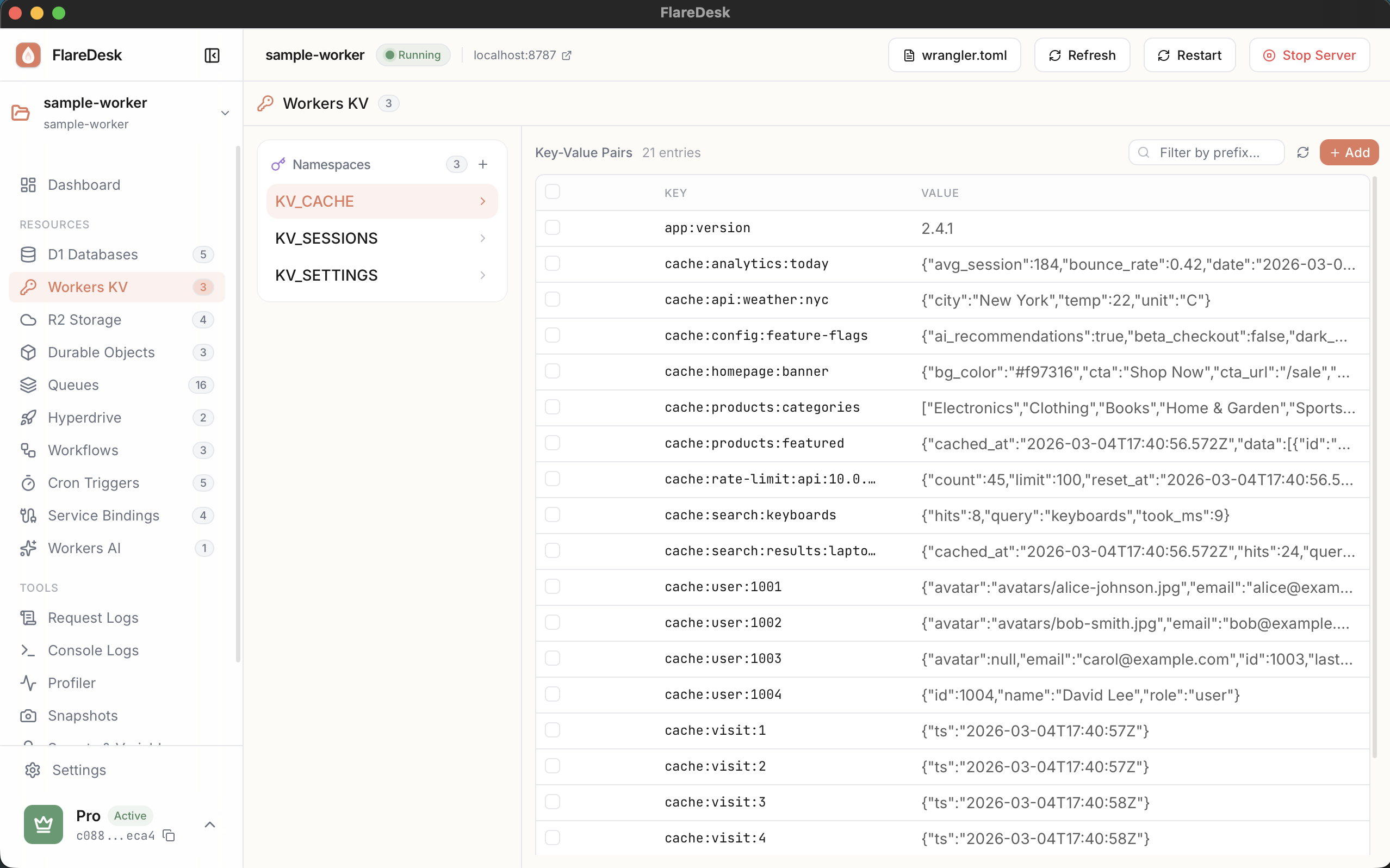
Overview
Browse Keys
List and search all keys in a namespace
Add Keys
Create new key-value pairs
Edit Values
Modify existing values with a built-in editor
Delete Keys
Remove keys from your namespace
Listing Keys
- 1
Navigate to KV in the sidebar
- 2
Select a namespace binding from the dropdown
- 3
View all keys with their values and metadata
- 4
Use the search box to filter keys by name
Adding a New Key
- 1
Click the "Add Key" button
- 2
Enter the key name
- 3
Enter the value (text or JSON)
- 4
Optionally set an expiration (TTL) in seconds
- 5
Click "Save"
Value Types
- Text: Plain text strings
- JSON: Structured JSON data (automatically formatted)
- Binary: Binary data will be displayed as base64
Editing a Value
- 1
Click on any key in the list to select it
- 2
The value editor will open on the right
- 3
Modify the value in the editor
- 4
Click "Update" to save your changes
Deleting a Key
- 1
Find the key you want to delete in the list
- 2
Click the delete icon (trash) next to the key
- 3
Confirm the deletion in the dialog
Key Expiration (TTL)
You can set an expiration time for keys using TTL (Time-To-Live):
- TTL is specified in seconds
- After the TTL expires, the key is automatically deleted
- Set TTL to 0 or leave empty for no expiration
- Minimum TTL is 60 seconds
Common TTL Values
- 60 = 1 minute
- 3600 = 1 hour
- 86400 = 1 day
- 604800 = 1 week